Going multilingual is one of the fastest ways to grow organic traffic. Studies show that 75% of online shoppers prefer to buy in their native language, and multilingual websites can see up to a 70% increase in organic traffic from international markets. But here’s the catch: a bad translation setup can destroy your SEO rankings instead of boosting them.
In this guide, you’ll learn how to translate your website automatically while preserving (and even improving) your search engine visibility. We’ll cover the technical must-haves, common pitfalls, and a modern AI-powered approach that makes multilingual SEO effortless.
Why Most Automatic Translations Hurt SEO
Before we get into solutions, let’s understand what goes wrong. Traditional automatic translation tools often break your site’s SEO because they:
- Ignore meta tags and structured data. Your title tags, meta descriptions, and schema markup stay in the original language, confusing search engines about the page’s target audience.
- Generate duplicate content. Without proper hreflang attributes and canonical tags, Google may treat translations as duplicates and penalize your domain.
- Use client-side rendering. JavaScript-based translation widgets hide translated content from search engine crawlers, making your multilingual pages invisible.
- Break URL structure. Some tools append query parameters (?lang=fr) instead of using proper subdirectories (/fr/) or subdomains, which Google strongly discourages for internationalization.
- Produce low-quality translations. Generic machine translation misses context, industry terminology, and brand voice—resulting in thin content that ranks poorly.
The SEO Checklist for Multilingual Websites
A properly translated website should meet these seven technical requirements to maintain and boost SEO:
1. Proper URL Structure
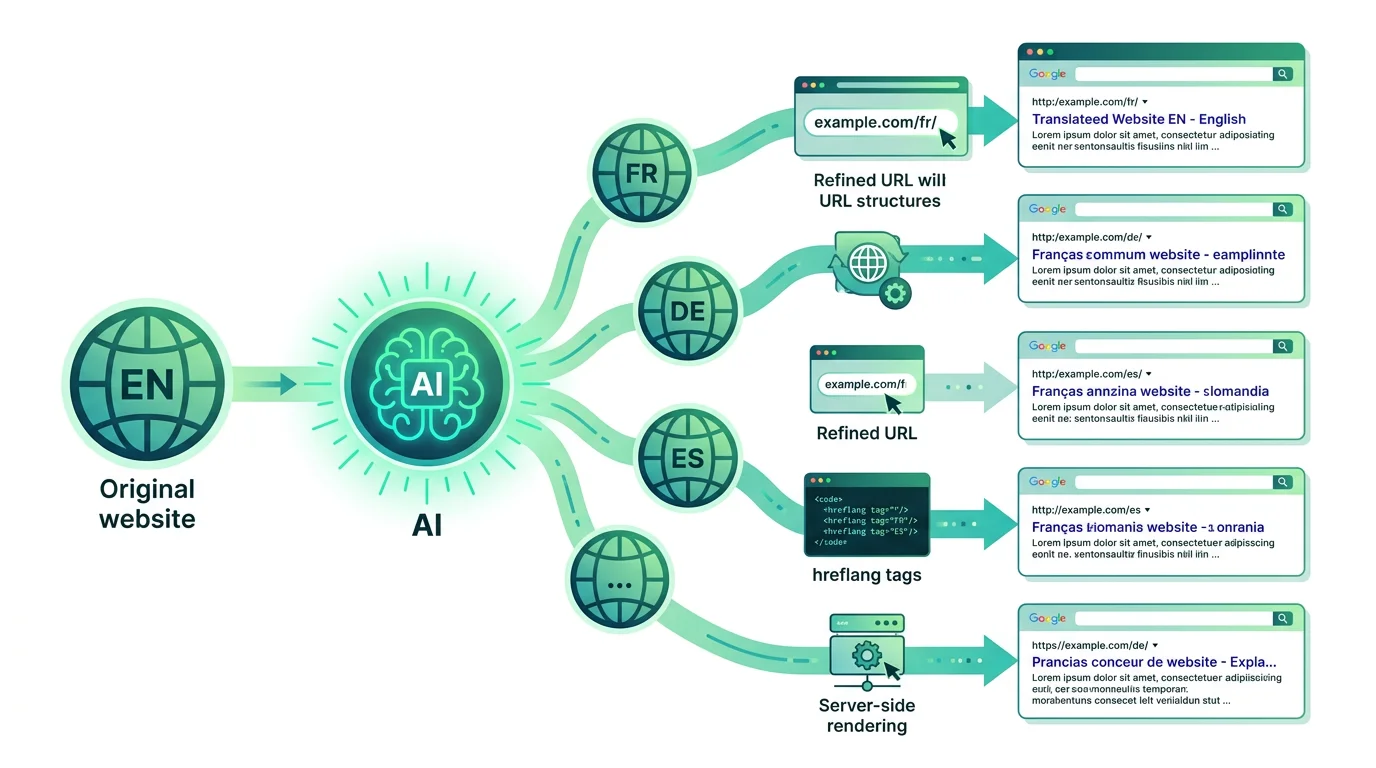
Use subdirectories (example.com/fr/, example.com/de/) for each language. This approach consolidates domain authority, is easy to manage, and is Google’s recommended method for most websites. Avoid query parameters and, unless you have region-specific content, skip subdomains.
2. Hreflang Tags
Every page must include hreflang attributes that tell search engines which language version to serve to which audience. Missing or incorrect hreflang tags are the #1 cause of international SEO problems. Your translation solution should generate these automatically.
3. Translated Meta Tags
Title tags, meta descriptions, Open Graph tags, and image alt texts must all be translated. These elements directly impact click-through rates in search results and social media sharing. A tool that only translates body content is doing half the job.
4. Server-Side Rendering
Translated content must be present in the page’s HTML source code, not injected via JavaScript after the page loads. Search engine crawlers need to see the translated text immediately. This is non-negotiable for SEO.
5. XML Sitemap per Language
Each language version should appear in your XML sitemap with proper hreflang annotations. This helps search engines discover and index all language versions efficiently. Submit each language sitemap to Google Search Console separately for maximum visibility.
6. Translated Slug URLs
Ideally, even your URL slugs should be translated: /fr/meilleurs-plugins-wordpress/ is far better for French SEO than /fr/best-wordpress-plugins/. Translated slugs improve relevance signals and click-through rates from search results.
7. Quality Content, Not Just Translated Words
Google’s Helpful Content Update applies to all languages. Poorly translated pages that don’t read naturally will underperform. Your translation needs to be contextually accurate and sound like it was written by a native speaker.
Traditional Translation Approaches (and Their Limitations)
Let’s compare the most common approaches website owners use today:
Manual translation by humans delivers the highest quality but costs $0.08–$0.25 per word. For a 100-page website, that’s $5,000–$15,000 per language. Updates are slow and expensive to maintain.
Free machine translation (Google Translate widget) is tempting but fatal for SEO. It renders client-side, creates no indexable pages, and produces noticeably robotic text that damages brand credibility.
SaaS translation platforms (Weglot, etc.) handle the technical SEO setup but charge recurring monthly fees based on word count. Costs escalate quickly as your site grows: a site with 50,000 words can cost $200+/month per language. You’re also locked into their ecosystem.
Traditional WordPress plugins (WPML, Polylang) give you control but require manual translation or paid add-ons for machine translation. Setup is complex, and managing translations across hundreds of pages becomes a maintenance burden.
The Modern Solution: AI-Powered Translation That Understands SEO
The latest generation of AI translation tools combines the quality of human translation with the speed and cost-efficiency of automation. Unlike generic machine translation, modern AI models like Claude by Anthropic understand context, intent, and nuance—producing translations that read naturally and maintain your brand voice.
Here’s what a good AI translation workflow looks like:
- Scan your entire site — pages, posts, products, categories, meta tags, image alt texts, and even URL slugs.
- Translate everything with context — the AI understands that “Apple” in a tech article shouldn’t be translated as the fruit, and that your product names should stay consistent.
- Set up SEO infrastructure automatically — hreflang tags, subdirectories, translated sitemaps, and server-side rendering.
- Let you review and refine — edit any translation before publishing, build a glossary of brand-specific terms.
- Keep translations in sync — when you update your original content, retranslate only what changed.
How Translio Makes Multilingual SEO Effortless
Translio is a WordPress plugin built specifically to solve the translation-meets-SEO challenge. It uses Claude AI to deliver human-quality translations while handling all the technical SEO requirements automatically.
What sets Translio apart:
- Full SEO translation. Translates not just content, but title tags, meta descriptions, Open Graph data, image alt texts, and URL slugs. Your translated pages are fully optimized from day one.
- Automatic hreflang tags. Correct hreflang implementation across all pages with zero manual configuration.
- Server-side rendering. All translated content is stored in your WordPress database and served as real HTML pages that search engines can crawl and index.
- Compatible with SEO plugins. Works seamlessly with Yoast SEO, Rank Math, and other popular SEO tools. Translated SEO fields sync automatically.
- WooCommerce support. Translate product titles, descriptions, attributes, and categories—keeping your international store fully indexed.
- Bring Your Own AI Key (BYOAI). Use your own Anthropic API key, so you only pay for the translations you need. No monthly subscriptions, no word count limits, no vendor lock-in.
- 20,000 free characters. Start translating immediately without an API key. Test the quality before committing.
Step-by-Step: Translating Your WordPress Site Without Losing SEO
Follow this workflow to launch your multilingual site the right way:
Step 1: Audit your current SEO baseline
Before translating, document your current rankings, indexed pages, and traffic sources. Use Google Search Console to note your top-performing pages. These are your priorities for translation.
Step 2: Choose your target languages strategically
Don’t translate into every language at once. Start with 1–2 languages where you have the most potential: check Google Analytics for existing international traffic, research keyword volume in target languages, and consider your business goals.
Step 3: Install and configure Translio
Install the Translio plugin. Choose your source and target languages. Optionally add your Anthropic API key for unlimited translations, or start with the free 20,000-character allowance to test quality.
Step 4: Translate high-priority pages first
Start with your homepage, top 10 landing pages, product pages, and key conversion pages. Translio translates all content plus meta tags, alt texts, and slugs in one click.
Step 5: Review and customize translations
Use Translio’s editor to review AI translations. Set up a glossary for brand names, product terms, and industry jargon that should stay consistent or untranslated.
Step 6: Verify SEO setup
Check that hreflang tags are correct (use Google’s hreflang testing tool), verify that translated pages appear in your XML sitemap, confirm server-side rendering by viewing page source, and submit translated sitemaps to Google Search Console.
Step 7: Monitor and expand
Track international traffic in Google Analytics, monitor indexing in Search Console, and expand to more languages as you see results. Keep translating new content as you publish it.
Common Mistakes to Avoid
- Don’t use JavaScript-only translation widgets for SEO purposes. If Googlebot can’t see it, it doesn’t exist.
- Don’t forget to translate internal links. Links within translated content should point to the same-language version of the target page.
- Don’t mix languages on a single page. Each page should be in one language only. Navigation, footers, and widgets should all be translated.
- Don’t block translated pages in robots.txt. Ensure crawlers can access all language versions of your site.
- Don’t expect instant results. International SEO typically shows results in 2–4 months as Google indexes and ranks your translated pages.
Conclusion: Multilingual SEO Is a Growth Multiplier
Translating your website doesn’t have to mean choosing between quality and cost, or between automation and SEO. With modern AI translation tools, you can launch a fully optimized multilingual site in hours instead of weeks.
The key is choosing a solution that handles the complete picture: high-quality contextual translation plus proper technical SEO infrastructure. That’s exactly what Translio was built to do.
Ready to go multilingual without sacrificing SEO?
Try Translio free with 20,000 characters — no API key required.